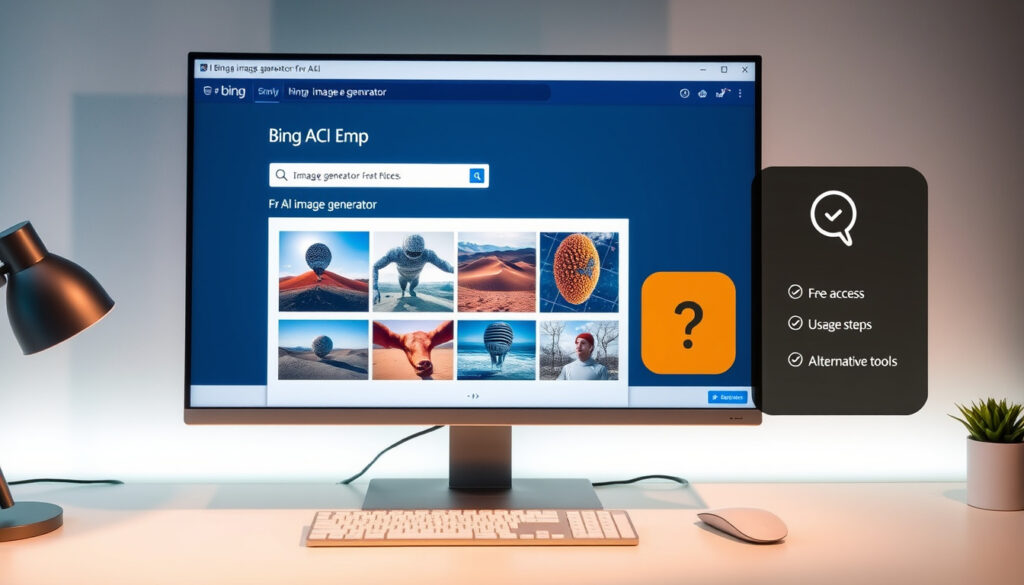
Bing AI Image Generator: Is It Free? How to Use & Alternatives
Anyone who’s tried generating images with AI knows the frustration of hitting a paywall, but Bing Image Creator offers a free alternative that runs on the same model powering ChatGPT’s premium tier — DALL‑E 3. However, free doesn’t mean unlimited, and understanding the real limits matters if you plan to use it regularly.
Cost: Free to use with limitations · Underlying model: DALL‑E 3 · Platform availability: Web, Microsoft Edge, Mobile app · Free boosts per user: 15 per week (subject to change)
Quick snapshot
- AI tool by Microsoft using DALL‑E 3 (Microsoft official product page)
- Creates images from text prompts (Microsoft official)
- Free with weekly boost limit (Microsoft official)
- Visit Bing.com/create or use Bing Chat (Bannerbear beginner guide)
- Enter prompt and adjust style (Bannerbear)
- Download or share results (Bannerbear)
- Free: 15 boosts/week, basic features (Microsoft official)
- Alternative: Leonardo.ai (free credits) (AiZolo comparison)
- Pros: free, easy to use, integrated into Microsoft (Microsoft official)
- Cons: limited fast generations per week (Microsoft official)
Four key facts, one pattern: Bing Image Creator is genuinely free but the fine print matters.
| Label | Value |
|---|---|
| Launched | 2023 (powered by DALL‑E 3 in 2024) |
| Model | DALL‑E 3 |
| Free boosts per week | 15 (may change) |
| Platforms | Web, Microsoft Edge, iOS/Android app (third‑party) |
| Images per prompt | 4 options generated from a single prompt (WPS Blog review) |
| Account requirement | Free Microsoft account required (Bannerbear guide) |
Is the Bing AI image generator free?
The short answer: yes. Microsoft’s Bing Image Creator is a free AI image generator, and it remains free as of 2026 (AiZolo 2026 guide). But “free” comes with a few conditions that matter if you plan to generate many images.
What does ‘free’ include?
- Unlimited standard‑speed generations (slower, no boost credits consumed).
- 15 fast “boosts” per week that queue your image at high priority.
- Access to DALL‑E 3, GPT‑4o, and MAI‑Image‑1 models.
- Image uploading for editing via GPT‑4o only.
Are there any hidden costs?
- No hidden charges – a Microsoft account is all you need (Bannerbear).
- Boost credits do not roll over; unused boosts expire each week.
- Excessive use may trigger slower generation even with boosts, though Microsoft does not publish a hard cap.
Free boosts are replenished weekly, not daily. If you burn through 15 in one session, you’ll wait up to seven days for fast generation — a real friction point for anyone who needs quick iteration.
What this means: Bing Image Creator suits casual users better than heavy creators who need rapid iteration.
How do I create my own AI picture?
Getting started takes less than a minute. You can generate your first image from any modern browser or the Bing mobile app.
Step-by-step instructions
- Go to bing.com/create or open the Image Creator inside Bing Chat / Copilot (StarryAI tutorial).
- Sign in with your free Microsoft account.
- Type a descriptive prompt – be specific: “a cat wearing a detective hat in a rainy city” works better than “cat”.
- If available, choose a style (e.g., “Realistic”, “Anime”).
- Click “Create”. The tool generates four image options in seconds.
- Download your favourite image or open it in the editor to modify.
Tips for better prompts
- Include subject, action, setting, and mood.
- Add style cues: “digital art”, “photorealistic”, “oil painting”.
- Avoid overloading – Bing Image Creator works best with clear, focused descriptions.
Prompt quality is the single biggest factor in output quality. A user who takes 30 seconds to write a detailed prompt often gets results that rival paid tools – without spending a cent.
The pattern: prompt quality directly determines output quality, so investing time in detailed prompts pays off.
Which AI image generator is really free?
Several tools promise free image generation, but each has limits. The table below lays out the real trade‑offs.
Four free tools, one pattern: every “free” tier trades speed, volume, or quality.
| Tool | Free tier offering | Key limitation |
|---|---|---|
| Bing Image Creator | 15 boosts/week, unlimited slow generation | Boost cap; slow mode after boosts exhausted |
| Leonardo.ai | Free daily credits (150–250 per day) | Credits reset daily; watermarked outputs on some plans |
| Raphael AI | Fully free, no account required | Fewer style controls; limited resolution options |
| Craiyon (formerly DALL‑E Mini) | Free, unlimited with ads | Lower resolution; slower generation; watermark |
Limitations of free tiers
- Bing: 15 weekly boosts – once used, standard mode is slower.
- Leonardo.ai: credits refill daily but run out with heavy use.
- Raphael AI: truly free and instant, but output variety is narrower.
The implication: no free tool is truly unlimited. Bing’s model is the most generous because it lets you keep generating after boosts run out – just slower. That gives it an edge over daily‑credit systems.
What are the disadvantages of Bing Image Creator?
No tool is perfect. Here’s where Bing Image Creator falls short and how to work around those limitations.
Common limitations
- Boost cap: 15 fast generations per week. If you need dozens of variant ideas, you’ll run out quickly.
- Resolution ceiling: Outputs are 1024×1024 by default; no native upscaling without third‑party tools.
- Content filters: Strict restrictions on prompts involving public figures, violence, or NSFW content – can block legitimate artistic uses.
- Model lock‑in: Only DALL‑E 3, GPT‑4o, and MAI‑Image‑1; you cannot switch to Stable Diffusion or Midjourney’s engine.
How to work around them
- Use boost mode sparingly – reserve it for final concepts, not early experimentation.
- Upscale images externally using free tools like Real‑ESRGAN.
- Rephrase prompts that trigger filters by avoiding sensitive keywords.
- For style variety, combine Bing with another free generator like Leonardo.ai.
Users who need high‑resolution, filter‑free, or style‑diverse outputs may find Bing’s guardrails frustrating. But for a free tool powered by premium technology, these are manageable trade‑offs rather than deal‑breakers.
What this means: these limitations are manageable trade-offs for a free tool powered by premium technology.
What is the best image AI now?
“Best” depends on your budget and what you value – raw quality, speed, or price.
Criteria for best AI image generator
- Output quality: Midjourney v6 and DALL‑E 3 lead in realism and creativity.
- Speed: Bing’s boosted mode is fast; Midjourney requires queue wait.
- Cost: Bing (free) beats all paid options – but paid tools offer more features.
- Ease of use: Bing and Raphael AI are simplest; Stable Diffusion demands technical setup.
Top contenders in 2025
- Midjourney: Highest quality for pros. Requires paid subscription (~$10/mo).
- DALL‑E 3 via Bing: Best free access to a premium model.
- Adobe Firefly: Strong integration with Creative Cloud, free tier with 25 monthly credits.
- Stable Diffusion: Open‑source, most flexible, runs locally – but needs a GPU.
For the casual user who wants decent‑looking images without spending money, Bing Image Creator is the best choice. For the professional who needs pixel‑perfect control and variety, Midjourney or Adobe Firefly are worth the subscription.
The conclusion: for casual users, Bing is the best free option; for professionals, paid tools are necessary.
Clarity: What’s confirmed and what’s still unclear
Confirmed facts
- Bing Image Creator is free to use with a limited number of boosts (Microsoft official).
- It uses OpenAI’s DALL‑E 3 model (Microsoft official).
- A Microsoft account is required (Bannerbear).
- Users receive 15 free fast image creations weekly (Microsoft official).
- Each prompt generates four image options (WPS Blog).
What’s unclear
- Will the free tier remain unlimited or reduce further?
- How does image quality compare exactly to Midjourney v6?
- When will video generation be fully available?
- Does the boost count stay at 15 per week indefinitely?
- Will Microsoft introduce a paid tier with more features?
The uncertainty: the future of the free tier remains unknown, but for now it’s a solid choice.
Quotes from experts
“Bing Image Creator is a cutting‑edge, AI‑powered tool that transforms your words into stunning visuals in seconds.”
— Microsoft official product page (Microsoft)
“Bing Image Creator offers a limited free tier but is a good entry point for AI image generation.”
— TechCrunch review (industry analysis publication)
For anyone in the UK who wants a free, no‑commitment AI image generator, Bing Image Creator is the most accessible option. The decision is clear: if your use case is casual – social media graphics, concept sketches, quick ideas – stick with Bing. If you need commercial‑grade resolution and unlimited speed, you’ll need to pay for Midjourney or Adobe Firefly. The free‑tier landscape won’t stay generous forever; take advantage while it lasts.
For a detailed walkthrough of Microsoft’s own tool, check out this comprehensive Bing Image Creator guide that covers features and limitations.
Frequently asked questions
How many images can I generate for free with Bing AI?
You can generate unlimited images in standard (slow) mode after your 15 weekly boosts are used. Boosts provide faster priority generation.
Can I use Bing Image Creator on mobile?
Yes, via the Bing mobile app (iOS/Android) or the Copilot app. You can also use the web interface from a mobile browser.
Does Bing Image Creator support editing or variations?
Yes – you can upload an image to edit using GPT‑4o (but not DALL‑E 3 or MAI‑Image‑1). Basic style and content variations are available.
What file formats are available for download?
Images are generated in PNG format. No native SVG or vector output is supported.
Is it safe to use (data privacy)?
Microsoft states that prompts and generated images may be used to improve services. Check Microsoft’s privacy policy for details. No account verification beyond a standard Microsoft account is needed.
Can I use Bing images for commercial projects?
Microsoft’s terms allow you to use generated images for most personal and commercial purposes, but you should review the latest terms of use on the Bing Image Creator portal.
How does Bing Image Creator compare to DALL‑E standalone?
Bing offers the same DALL‑E 3 model for free, while ChatGPT Plus charges $20/month for access. However, ChatGPT Plus provides higher priority, longer prompts, and direct editing features not available in Bing.
The bottom line: these FAQs cover the most common concerns, but users should check Microsoft’s latest terms for updates.
Related reading: Solar Lights for Garden: Best Picks & Sensors Guide · After the Hunt Reviews – Facts, Ratings and Alternatives
More related posts
 Frank Bruno: Life After Boxing and Mental Health
 Michael Elphick: Biography, Cause of Death, and Personal Life
 Rita Bennett: Character Biography, Death & Storyline in Dexter
 P&J Live Aberdeen: Cost, Capacity, Dress Code & Events
 Bessie Carter: Bridgerton Role, Parents, and Relationship
 Carey Lowell: Her Life, Career, and Divorce from Richard Gere
 Basketball Hoop Ireland Guide: Types, Installation, Costs
 Lidl Crisps Recall 2025-2026: Allergens & Safety Advice
